For webcam models
Your AI twin replies to your fans while you sleep
It’s an AI that chats with your fans on Telegram the way you do, and tells them when you go live. You decide what it talks about and which photos it sends.
03:12
you still up? 👀
Your AI twinright here 😘 what are you doing up at this hour?
Open to VipRoom models for now. Log in with your Telegram: no new passwords, no tech skills needed.
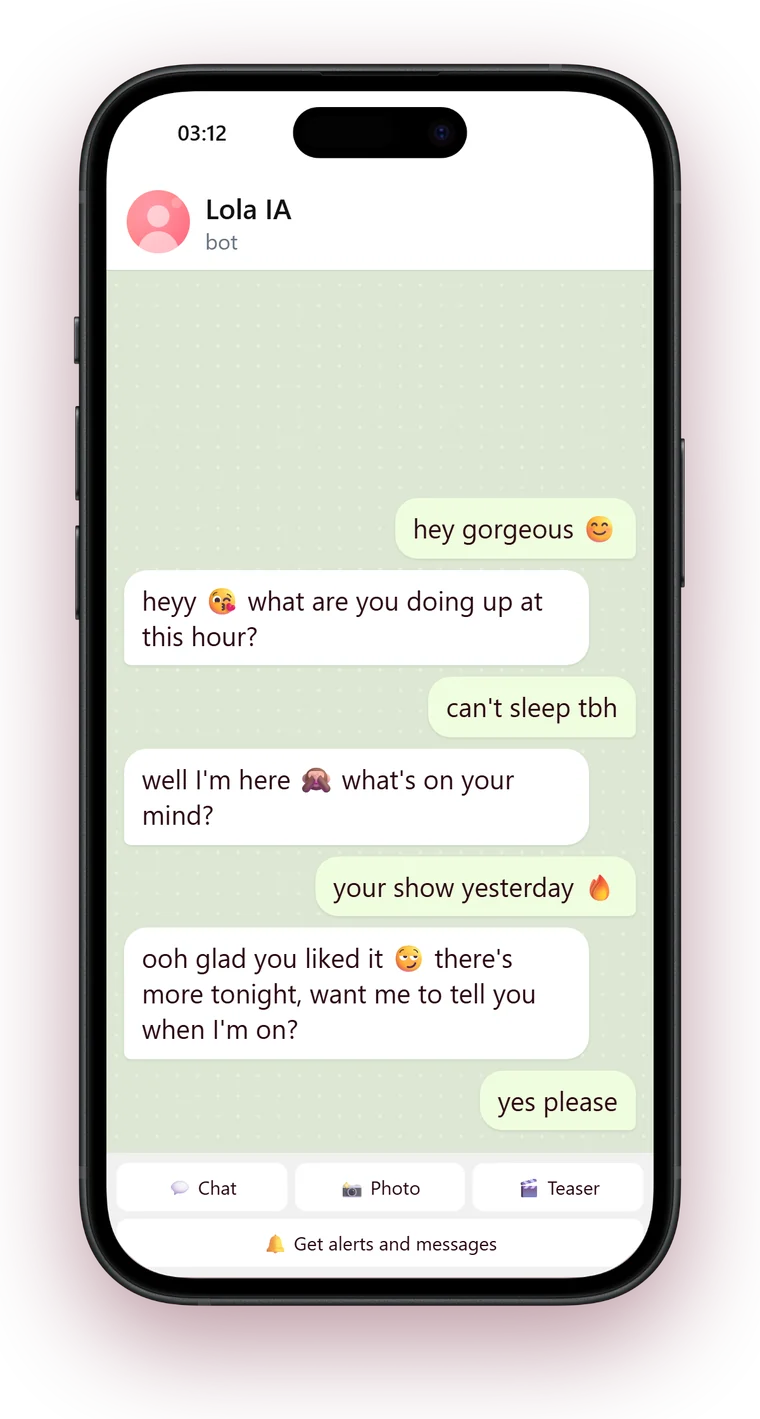
It writes like you, even at 3 a.m.
You answer a few questions about how you talk: your phrases, your emojis, the topics you like and the ones you don’t. With that, your bot replies to every fan in your tone, at any hour, and remembers what you talked about.
How it works, in one minute
From logging in with your Telegram to your bot talking to your first fan.
What it does for you
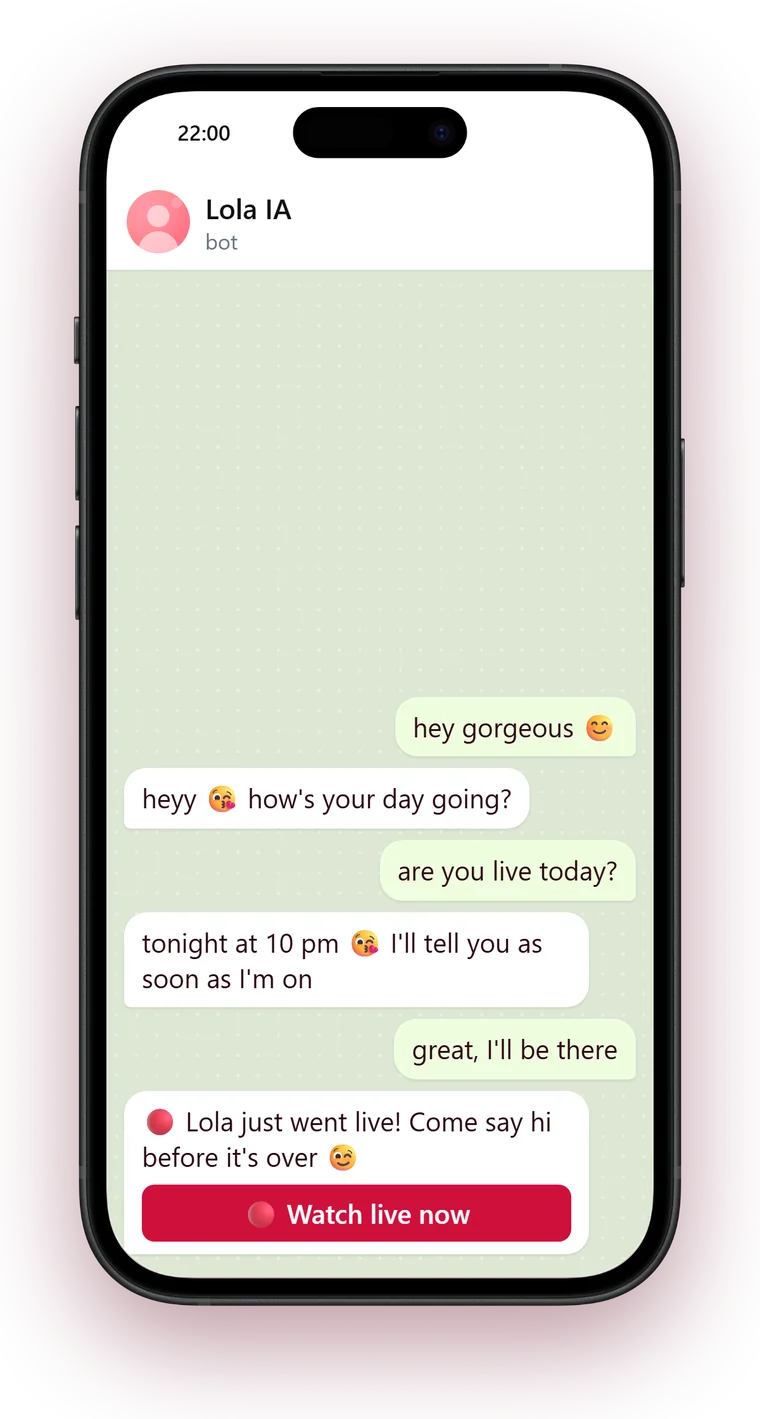
When you go live, your fans know
Your bot alerts the fans who asked, only once per show, with a button that takes them to your room. If you add your shows to the schedule, it reminds them too.
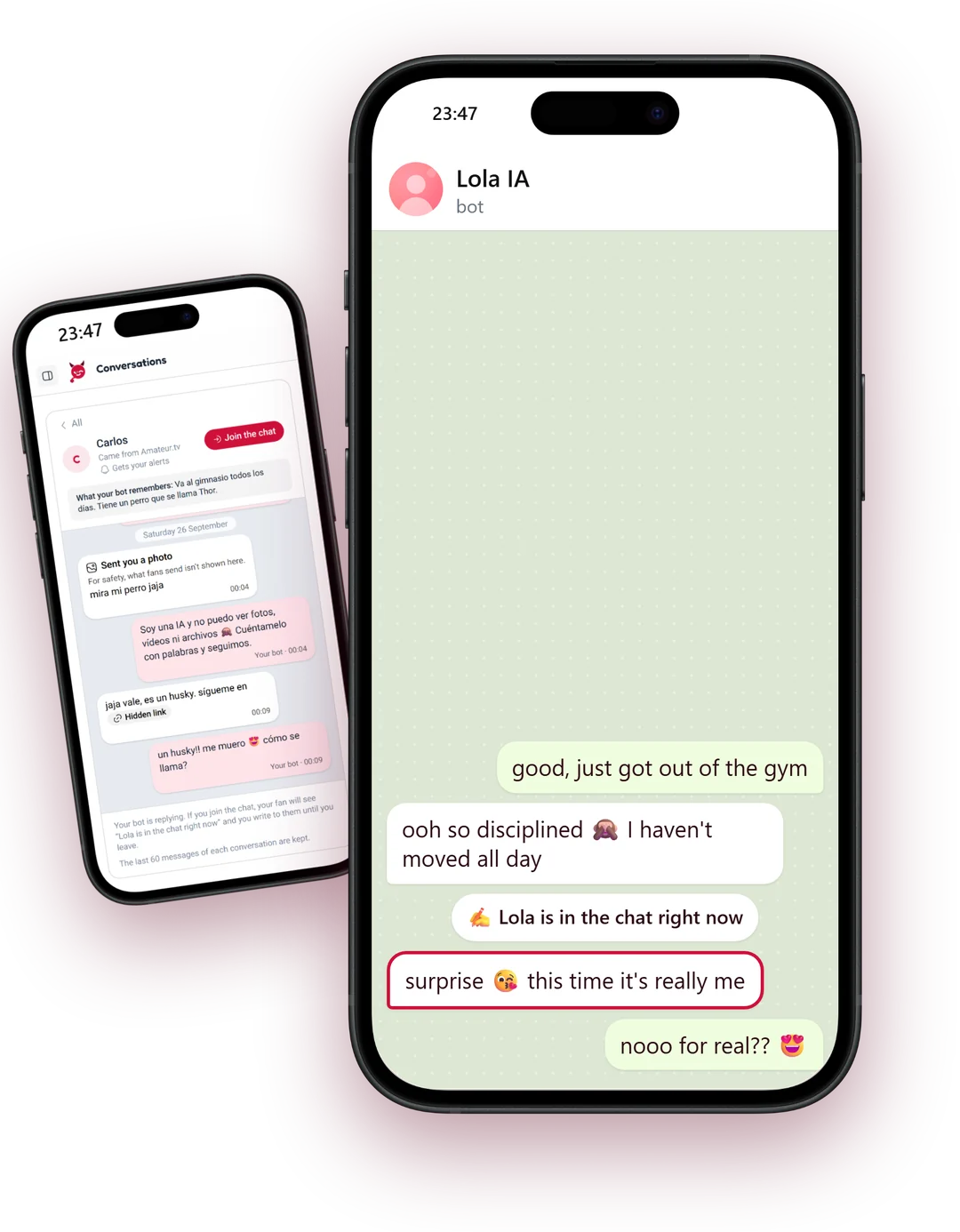
Jump into the chat and surprise them
You read their conversations from your panel and, whenever you like, you step in. Your fan sees you’re in the chat, the AI goes quiet and what you write reaches them as is. When you leave, your AI is back.
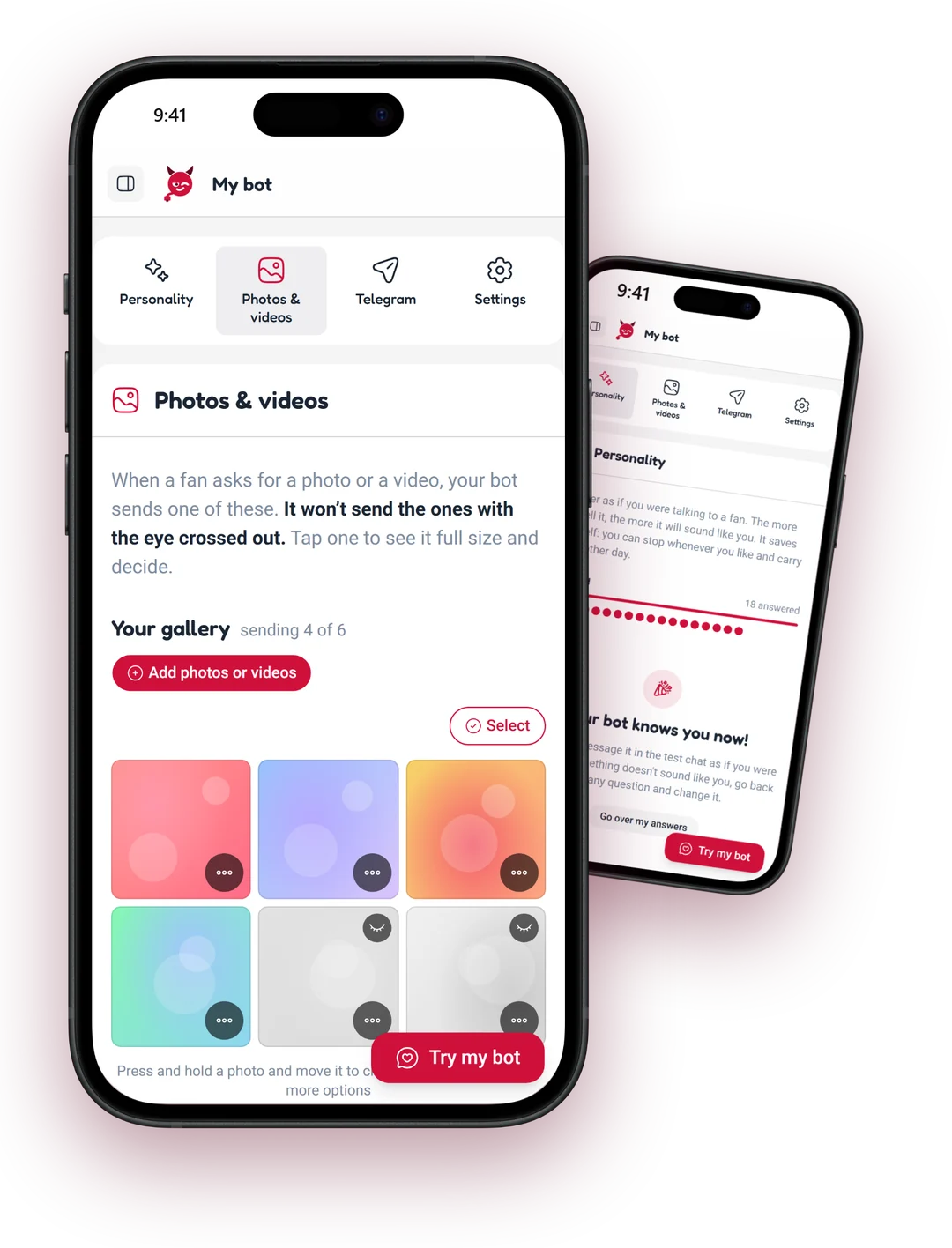
You set the rules
Your bot only sends the photos and teasers you mark for it, and doesn’t talk about what you don’t want. Contact details and outside links never go through the bot: to take your fans to your room, there’s the button.
And also
Messages to your fans: write it once and your bot sends it to everyone with alerts on.
Stats: how many fans write to you and how many tap your room button.
Spanish and English: it replies to each fan in their Telegram language, if you speak it.
Turn it off whenever you want, and your fans can stop alerts with one button.
How you start
Start with TelegramYou: So how do I set it up?
chattwin: Log in with your Telegram and tell me your VipRoom nickname.
You: Do I need to know about bots?
chattwin: Not at all. I create the bot in two taps from the panel, no BotFather and no keys to copy.
You: And then?
chattwin: You answer a few questions about how you talk and choose which photos I can send.
chattwin: The team checks the profile is yours, you switch me on and I start replying.
Questions
Will my fans know they’re talking to an AI?
Yes. Your bot introduces itself as your AI in its name and its first message. What changes is how it talks: with your tone, your phrases and your emojis.
Which photos can it send?
Only the ones you mark for the bot in your panel. Teasers are 30 seconds at most, and nothing you haven’t chosen ever goes out.
Can I read what they talk about?
Yes, from your panel’s inbox. And you can jump into the chat whenever you like: your fan knows it’s you until you leave.
Do I need to be good with technology?
No. You log in with your Telegram, the panel guides you step by step and the bot is created in two taps.
What if I don’t have Telegram?
It’s free and takes a few minutes on your phone. We walk you through it step by step, including how to hide your number.
Why do I have to wait to be approved?
So nobody can set up a bot pretending to be you. The team checks the profile is yours and, in the meantime, you can get your bot’s personality ready.
What happens to my data and my fans’ data?
We explain it in our privacy policy: what we keep, why and for how long.
Tonight, no fan goes unanswered
Log in with your Telegram and get your bot ready in no time.
Create my bot